This is default featured post 1 title

Go to Blogger edit html and find these sentences.Now replace these sentences with your own descriptions.This theme is Bloggerized by Catalin - Premiumbloggertemplates.com.

This is default featured post 2 title

Go to Blogger edit html and find these sentences.Now replace these sentences with your own descriptions.This theme is Bloggerized by Catalin - Premiumbloggertemplates.com.

This is default featured post 3 title

Go to Blogger edit html and find these sentences.Now replace these sentences with your own descriptions.This theme is Bloggerized by Catalin - Premiumbloggertemplates.com.

This is default featured post 4 title

Go to Blogger edit html and find these sentences.Now replace these sentences with your own descriptions.This theme is Bloggerized by Catalin - Premiumbloggertemplates.com.

This is default featured post 5 title

Go to Blogger edit html and find these sentences.Now replace these sentences with your own descriptions.This theme is Bloggerized by Catalin - Premiumbloggertemplates.com.

joi, 31 decembrie 2015

Bypass iOS 7.1 Activation Lock & Jailbreak iOS 7.1.2

Smolk, a Russian developer, has a found a workaround for the remote iCloud activation lock function for devices running iOS 7.1.2, 7.1, 7.0.6, 7.0.4, 7.0.3 and below.
He lately presented a new program will not only allow enables him around the iCloud activation lock, but also jailbreak iOS 7.1 / 7.1.2. The process is only for iPhone 4, but certain conditions have to be met.
For example, the phone has to be renamed through iTunes as a 'new device' and the password has to be disabled. Then bypass iOS 7 activation lock process has to be executed before the jailbreak is performed.
IOS 7.1.2 Bypass iCloud

Guide to jailbreak iOS 7.1.1 along with iCloud activation lock bypass

Step 1: Make a download from the link for jailbreaking iOS 7.1 / 7.1.2. The file works with Windows XP as well as Windows 7 and 8.
To download the iOS 7.1.2 / 7.1 / 7.0 iCloud Activation bypass & Jailbreak tool go to this officialdownload link. After that, move to step 2.
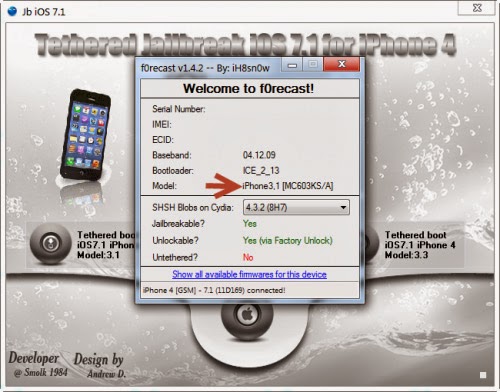
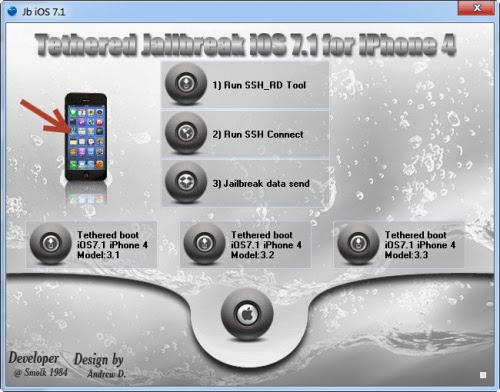
Step 2: Now connect your iPhone 4 to the computer, launch the program and selected 'tethered jailbreak iOS 7 for iPhone 4'.
Step 3: Now click the button that says '1) Run SSH_RD Tool'.
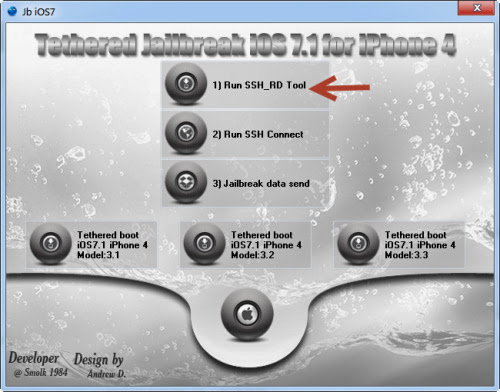
bypass iOS 7.1.2 Activation lock
Step 4: Now wait for the window RD_tool to launch, and then switch your device into DFU-mode.
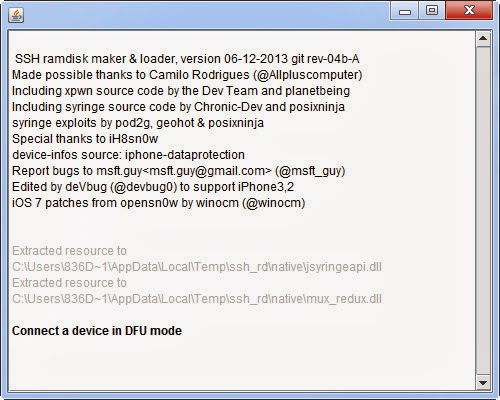
Bypass iCloud Activation iPhone 4
Step 5: After the process has finished, now press '2) Run SSH Connect'. At this point, you also need to make sure that the disc is mounted. See the following:
  • Mounting/ dev/disk0s1s1 on /mnt1 ..
  • Mounting / dev/disk0s1s2 on /mnt2 ..
Otherwise, you can select '2) Run SSH Connect'
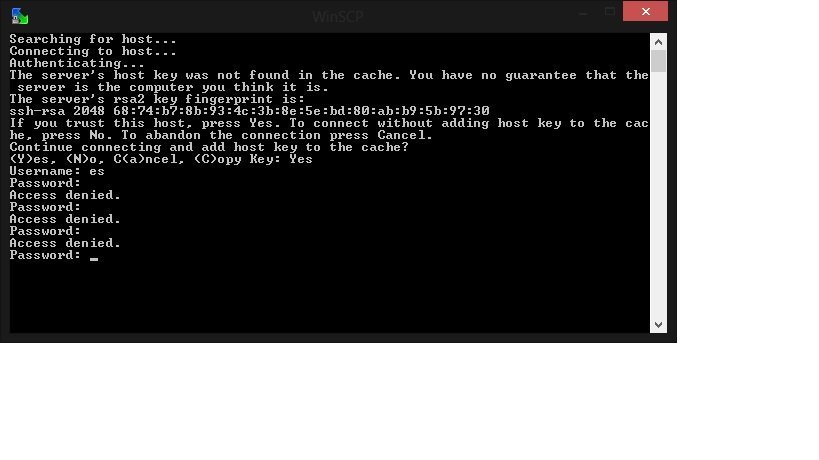
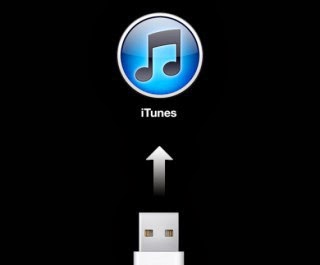
Step 6: Now select 'jailbreak data send', and wait for the popup that says 'Continue connecting and add host key to the cache?'. Select Yes 'Y'. The phone will now reboot in recovery mode.
Bypass iCloud Lock
Step 7: Now press 'tethered boot iOS 7.1 / 7.1.2 iPhone 4 Model: 3.1 or 3.2 or 3.3' to boot the phone depending on your model; find the iPhone model with the image number in the window.
Jailbreak iOS 7.1.2 iPhone 4
Remove iCloud Activation
Step 8: After downloading, do not do anything before the device automatically reboots. Cydia will be installed.
Step 9: After that, you need to wait for respring. This is when mobilesubstrate will be added.
Step 10: Now feel free to open Cydia and install any updates.
Now upon every reboot, you need to connect iPhone to the computer and select 'tethered boot iOS 7.1', as it is not an untethered jailbreak'.

Bypass activation works on iOS 7.1 and iOS 7, but if your phone is reported as stolen you won't be able to make calls. Did you managed to bypass iOS 7.1 Activation Lock? Tell us in the comments below.

  • Avatar


    After connecting phone in DFU mode, that window SSH_RD just stops working. I tried almost every version of Java, and i try do it on another pc, nothing works


    Jailbreak iOS 9, 9.0.2, 9.0.1 With Pangu 9 On iPhone And iPad [Updated]

    UPDATE: iOS 9, 9.0.2, 9.0.1 jailbreak is out. Pangu 9 works on iPhone 6s, iPhone 6s Plus, 6, 6 Plus, 5s, 5c, 5, 4s, and all iOS 9 running iPad and iPod touch models.
    Get iOS 9.0.2 from here:
    Get iOS 9, 9.0.2, 9.0.1 jailbreak tool Pangu 9 from here:
    Tutorials:
    Troubleshooting/fixes:
    Tweaks:
    iOS 9 to 9.0.2 jailbreak main
    Here’s the history of how the jailbreak came into being:
    Final version of iOS 9 was released by Apple in the mid of September. The initial 9.0 released was quickly followed by bug fix update in iOS 9.0.1 and then 9.0.2 in late September.
    But before Apple released iOS 9, prominent team in the world of jailbreaking, Pangu team, managed to successfully liberate iOS 8.4.1, but claimed that a number of the vulnerabilities used in that process were patched with the release of the Golden Master build of iOS 9. As soon as iOS 9 was released, in a knowledge base document, Apple credited Pangu and TaiG jailbreak teams after successfully patching their exploits which could potentially have been used for a jailbreak.
    Prominent developer iH8Sn0w uploaded a YouTube video demonstrating his successful attempt at jailbreaking Apple’s iOS 9 a week before Apple made the firmware public. The video not only showed a jailbroken iOS 9 device, but outlined very specific things such as verbose boot, custom boot logos running, and demonstrated code injection. However at the time, nobody was sure whether iH8Sn0w and co. will make this jailbreak available for public or not.
    A team known as ZERODIUM then announced $1 million dollars for anyone who can jailbreak iOS 9.
    In mid-October, nearly a month after Apple first released iOS 9 to public, Pangu team surprised everyone by releasing a fully untethered jailbreak for iOS 9.
    Pangu 9 main
    Called Pangu 9, it works on iOS 9.0, 9.0.1 and 9.0.2.
    It supports all iOS devices capable of running iOS 9, including the latest iPhone 6s, iPhone 6s Plus and iPad mini 4. Full list of supported devices is as follows:
    • iPhone 6s/6s Plus/6/6 Plus/5s/5c/5/4s
    • iPad 4/3/2
    • iPad mini 4/3/2/1
    • iPad Air 2/1
    • iPod touch 6/5
    Pangu team has credited iH8sn0w, Saurik and Qwertyoruiop for the help with jailbreak.
    Here’s our video tutorial on how to jailbreak iOS 9 – 9.0.2 with Pangu 9:
    This page will be continuously updated with all the latest updates regarding iOS 9 jailbreak. For tutorials and download links, check out the updated links at the top of this post.
    You may also like to check out:

    Share

    Twitter Delicious Facebook Digg Stumbleupon Favorites More